Split a flat image into editable layers.
Upload a poster, social graphic, slide or AI illustration. Pixlayer returns the words as real text boxes, the parts it can isolate as transparent pictures, and a cleaned background, so you can change one piece without regenerating the whole image.
Edit the words on a real result below. No sign-in needed.


One image in, separate pieces out.
Layers are only useful when each piece can be changed on its own. Pixlayer rebuilds what it can and keeps the rest together honestly.
- Words become text boxes
- Every recognised line becomes editable text with a fitted font, size, colour and position.
- Objects become pictures
- Subjects, icons and illustrations that can be isolated become transparent pictures with their own place on the canvas.
- The background is cleaned
- Original text is erased and the area behind it is filled in. The result is a separate background layer.
- The layers stay usable
- Edit them in the browser, then export a layered ZIP with per-layer PNGs and scene data, a flat PNG, or a PPTX.
Difficult cut-outs and complex texture fills can stay part of the background. The editor shows what came back instead of guessing.
Try it on real results
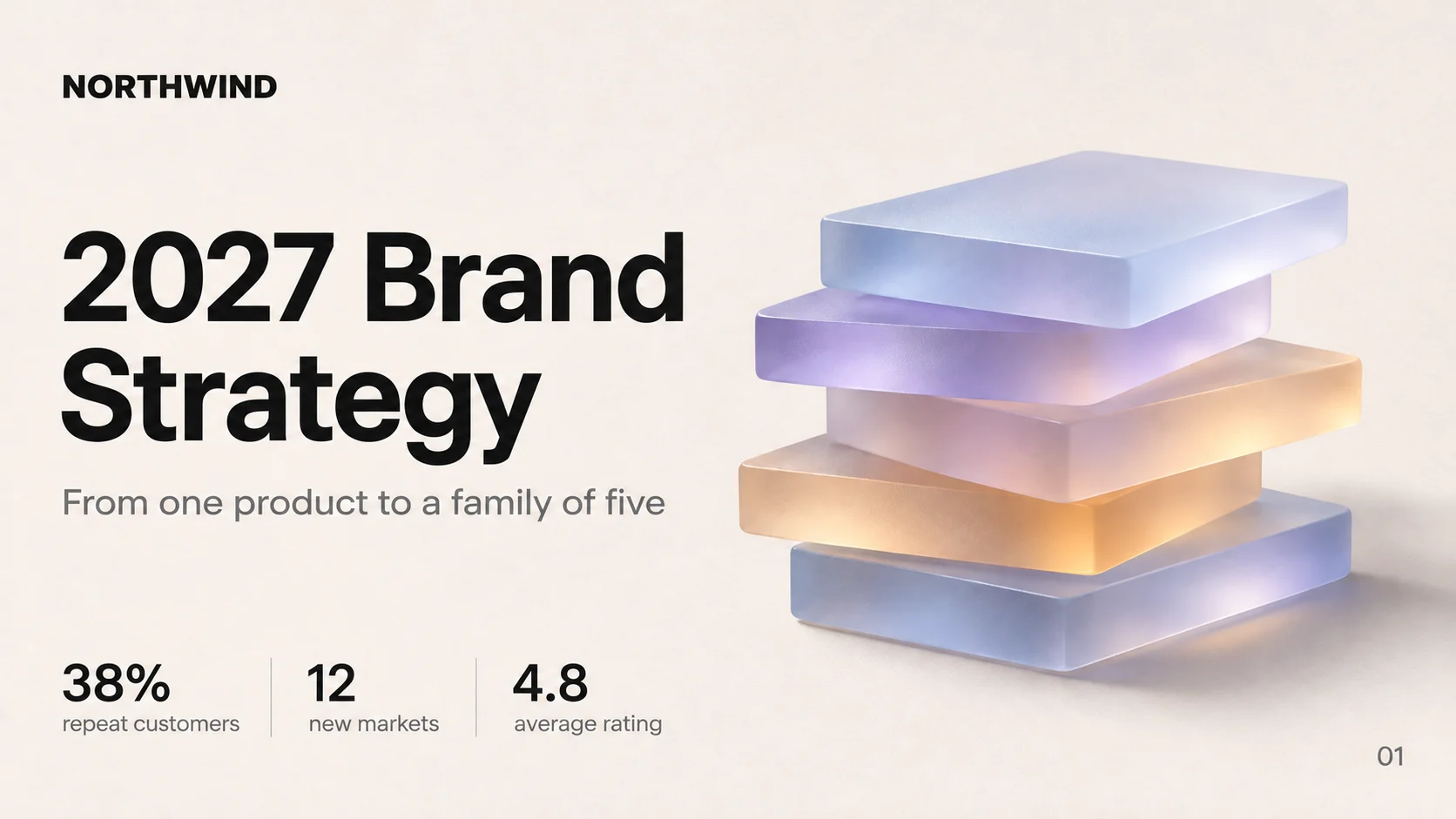
The slide and poster below are real conversions. Every word is a live text box: click to retype, or drag it to see the cleaned background underneath.

NORTHWIND
2027 Brand
Strategy
From one product to a family of five
38%
repeat customers
12
new markets
4.8
average rating
01
Take the layers with you
The editor is where you fix the result. The export is how it leaves with you.
See the image-to-PowerPoint page- Layered ZIP
- One PNG per layer, plus a scene file that records each layer's place, rotation and stacking order.
- PNG or JPG
- A flat image at the current size, useful for social posts, documents or a quick review.
- Editable PPTX
- Text boxes and separate pictures on a slide, for decks that need to keep changing.
Layer questions
Going into a slide deck?
The PowerPoint page focuses on rebuilding a screenshot as editable slide text and objects.
Image to editable PowerPointGive the picture a second edit.
Upload the flat image, change only what is wrong, and leave with layers you can reuse.